This project redesigned the clipping interface for the company's flagship product. Customer interviews revealed the original interface was too complex to learn effectively. Through competitor research and iterative user testing, I developed a simplified solution that addressed user needs. Customer feedback was overwhelmingly positive, and the redesigned interface was implemented into the product.
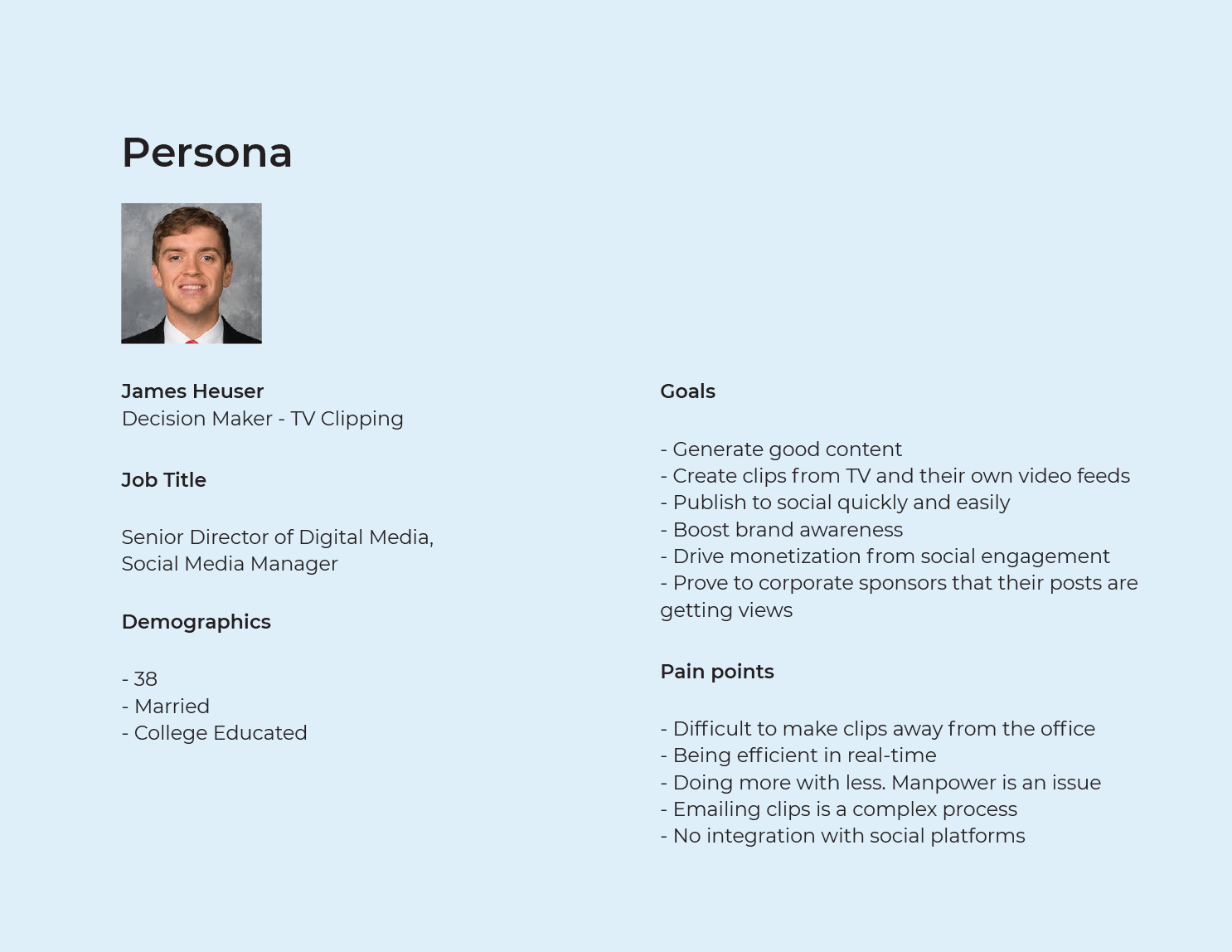
Worked directly with the Director of Engineering to establish requirements and goals while conducting interviews with trial customers to understand their pain points with the existing clipping interface.
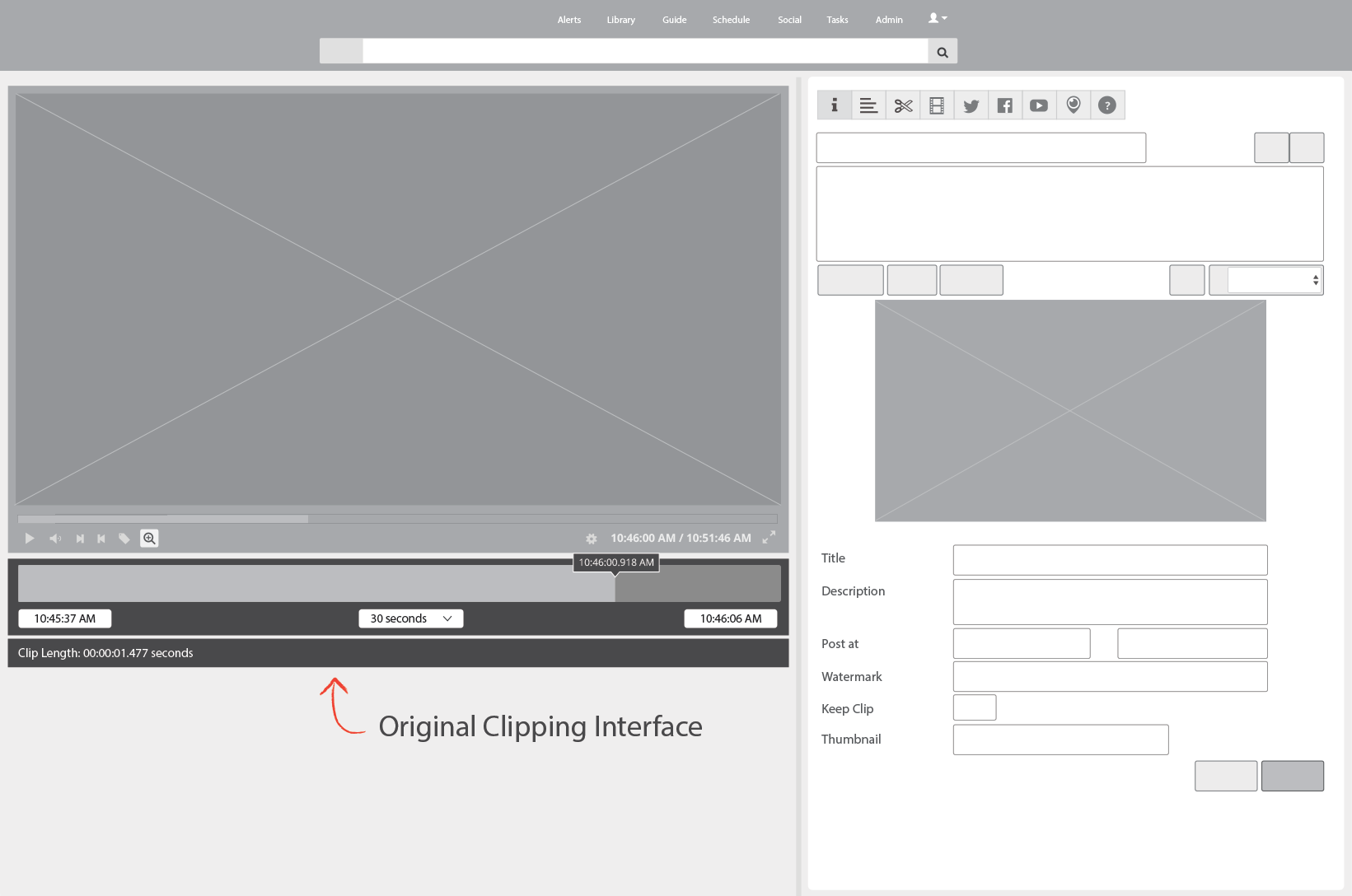

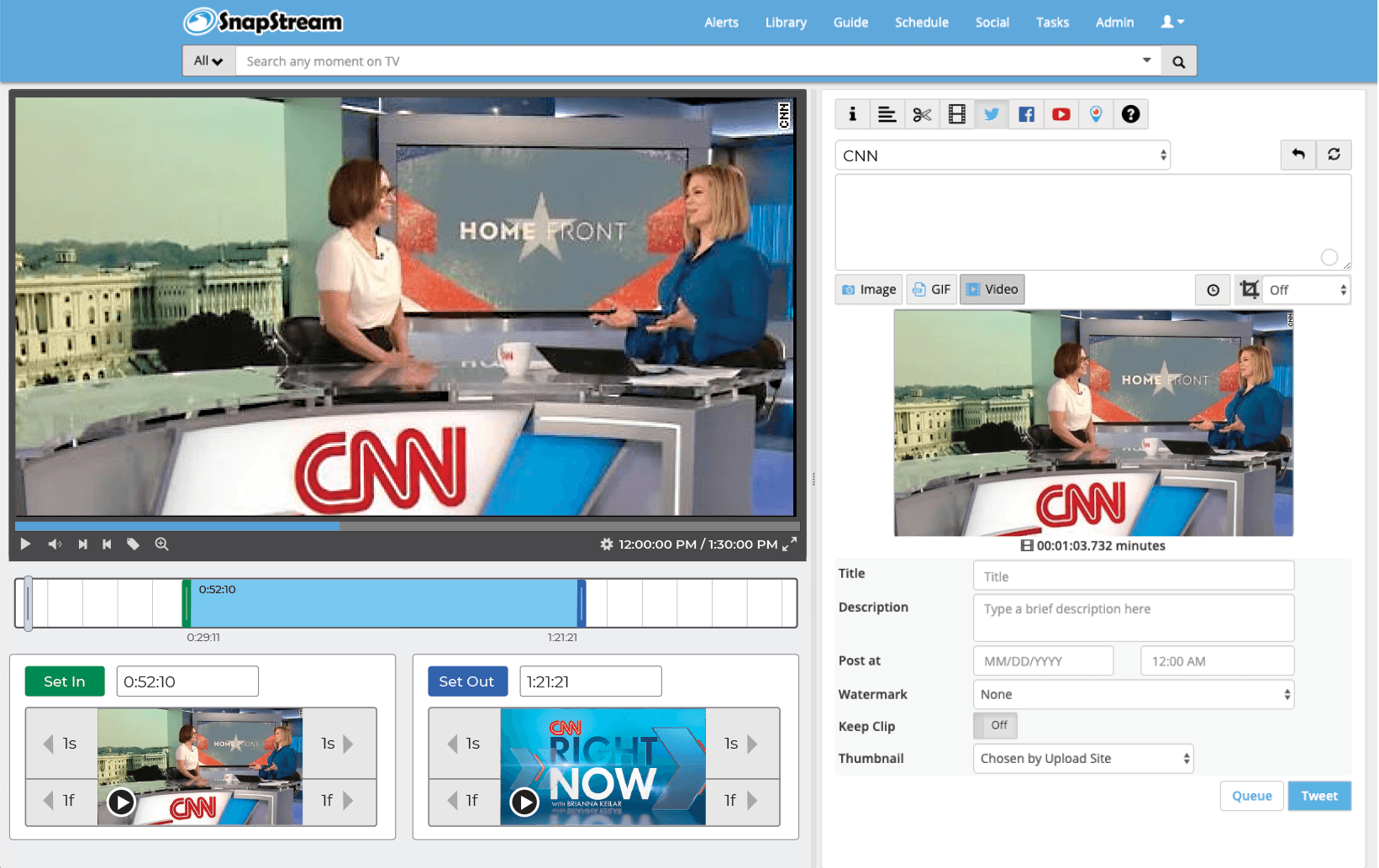
Designed a visual clipping solution with bottom panels displaying start and end points. Users can now make precise adjustments using 1-second or 1-frame navigation controls, while thumbnail play buttons allow previewing clips before finalizing—enabling frame-accurate creation.
Customer feedback validated the redesigned interface. During a presentation to CNN's social media team, the department head praised the new direction, stating the mockup was "exactly what he was hoping to see" and expressing excitement to share it with his team.
The positive reception from CNN and other trial customers led to successful product implementation, addressing the usability concerns that had previously contributed to lost deals.
This project was to revamp the clipping interface for the company's flagship product. By interviewing potential customers, we discovered that the original clipping interface was too complex to learn. After some competitor research and user testing, I designed a solution that met the users' needs. I added new panels at the bottom that visually showed the start and end clip points. Each panel allowed the user to easily move 1 second or 1 frame, forward or back, in the timeline. This allowed for frame accurate clip creation. I also added a play button to preview that portion of the clip. Feedback was very positive from customers and this new version of the clipping interface was implemented into the product.
February 2020
by Joel Gabiola
UX/UI, Interface